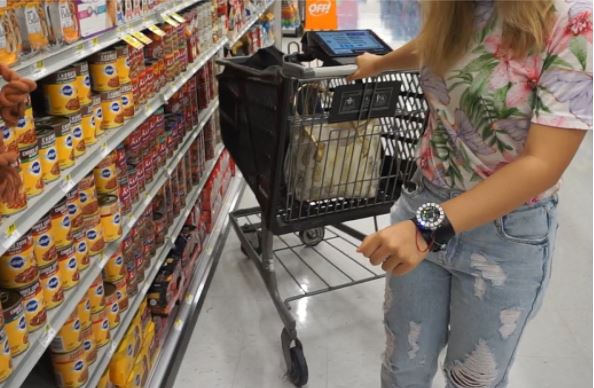
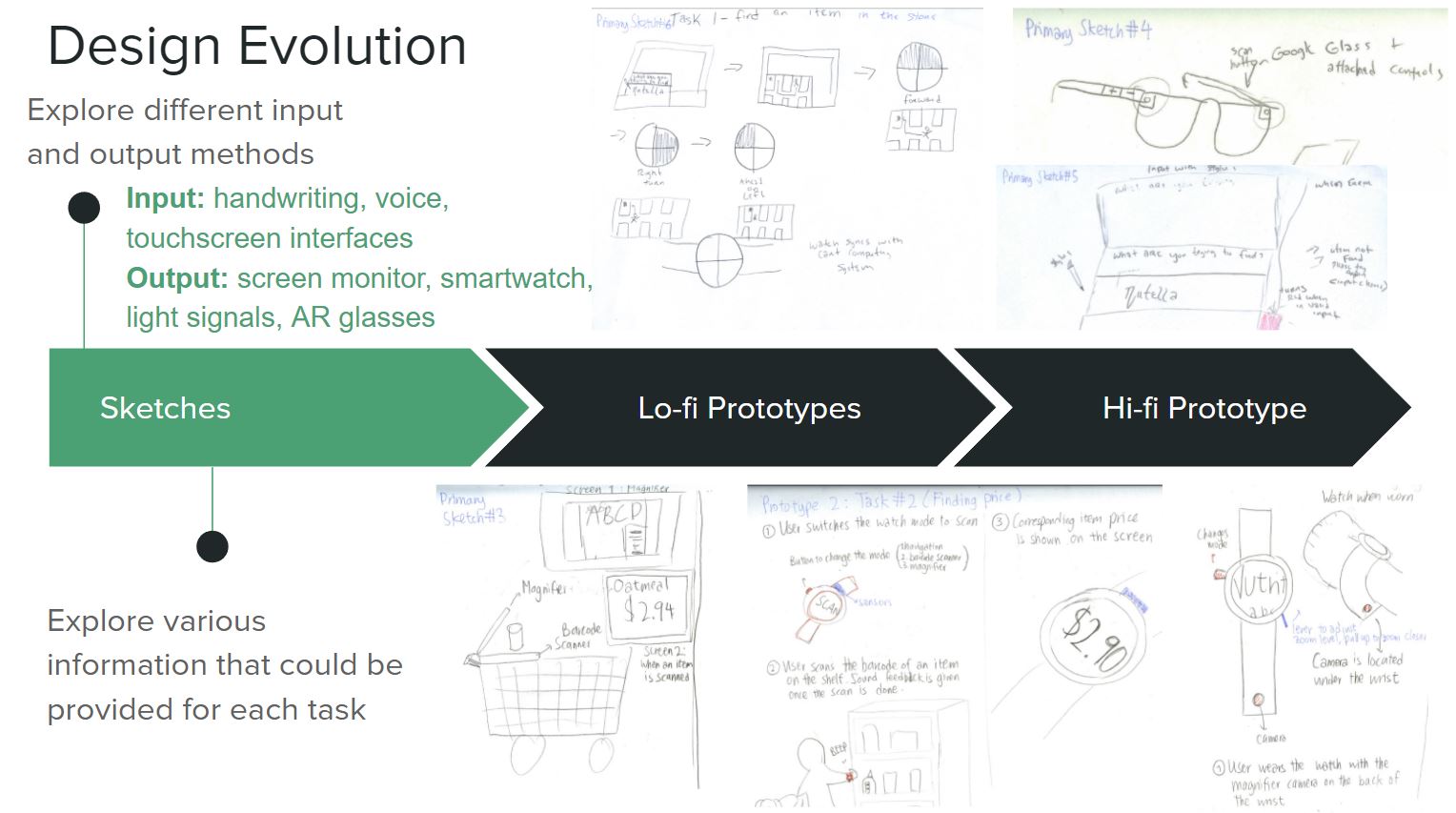
Leveraging the participatory design process, our team sought to improve the shopping experience for users with visual impairments. During this project we created and tested low fidelity and high fidelity prototypes of a tablet and smartwatch design.
Duration: 4 months
Methods Utilized: User Interviews, Participatory Design, Paper Prototypes, Flora, C, Invision
During our Inclusive Design in Human Computer Interaction class, we utilized participatory design methods to design a solution for our user. I worked with the talented Vichita Jienjitlert.
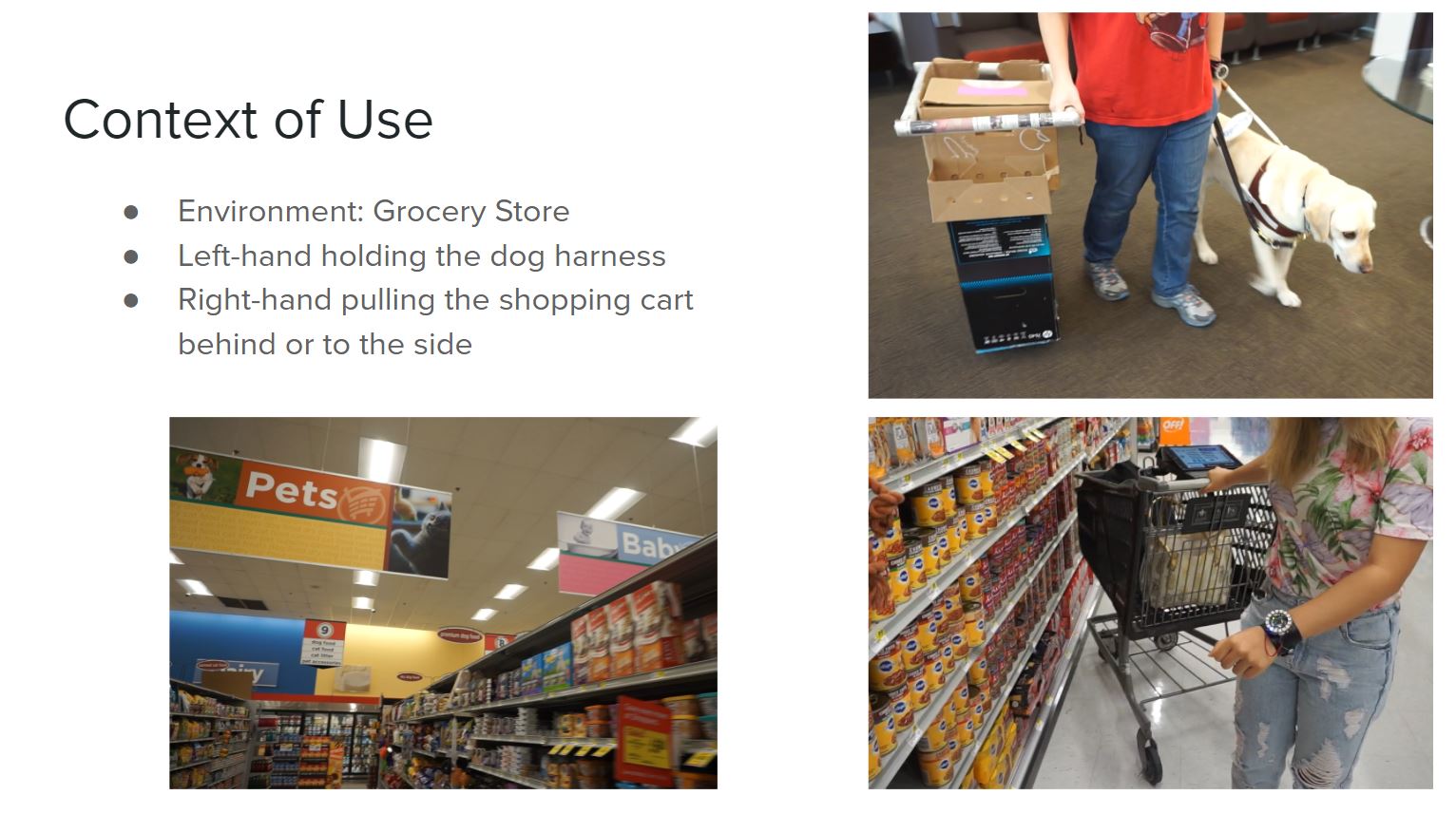
For our project we worked with a participant with Stargardt’s Disease who uses a guide dog or cane to navigate. Em is a pseudonym used to keep our research participant anonymous. 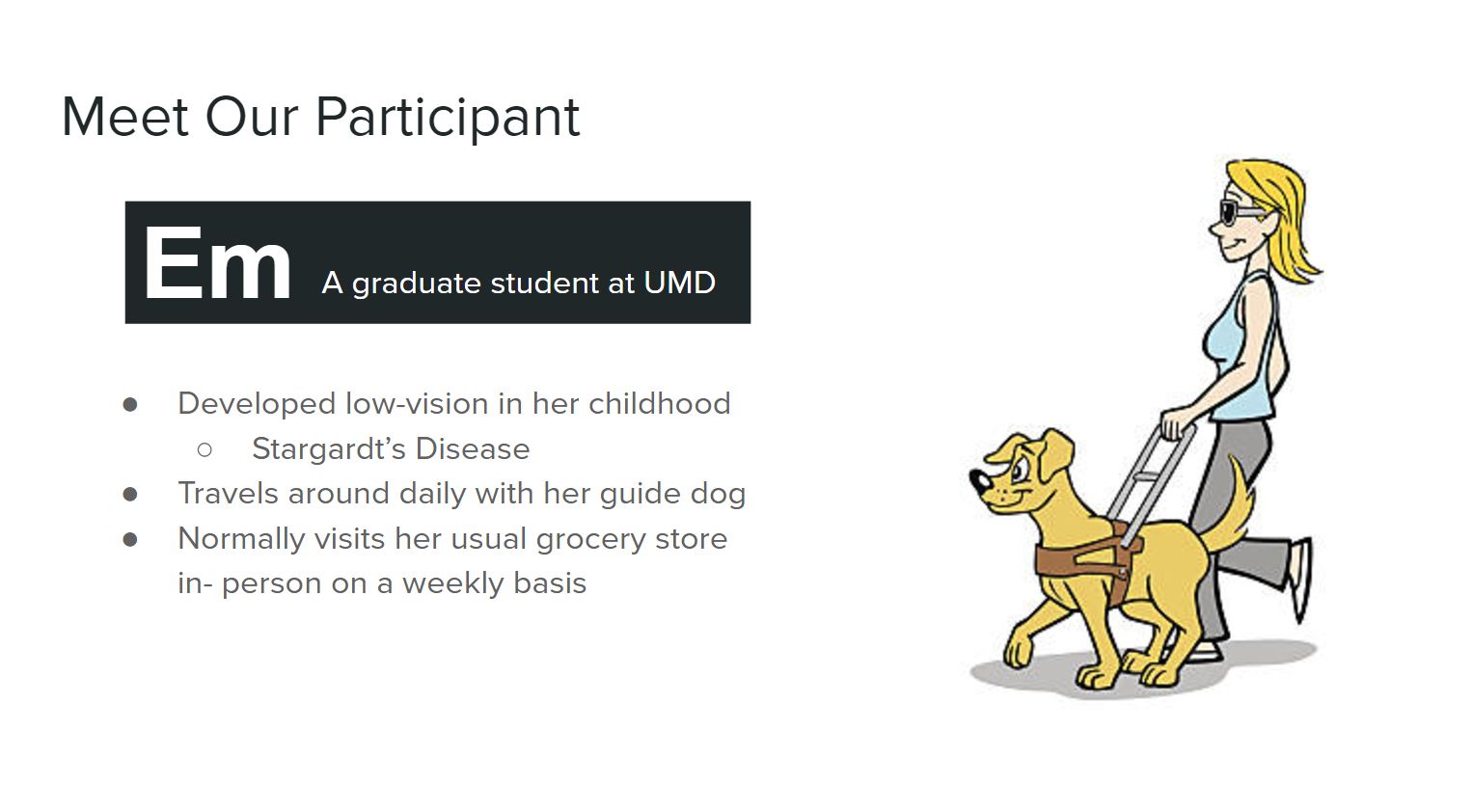
We originally had steered more in the direction of developing a physical cart that could be easier to use for people with guide dogs, or other people who only have one free hand to push a cart such as parents with young children. But during the second participatory design session we discovered there were some things we consider as problems that we could fix that Em didn’t consider as challenges, but rather facts of life. For example, she never knows what her total is at the grocery store and just hopes that she has enough to cover it. It isn’t until later when she is looking at her credit card bill from the computer that she is able to know how much she spent at the store.
During several sessions with our design participant, Em, we’ve learned how difficult it is for people with low vision to grocery shop at a store. With each visit, people with low vision often face difficulties in finding an item in the store, finding the price and available promotions of the items, as well as the details printed on the item such as nutritional information, ingredients, or allergens. Additionally, users who have guide dogs may also try to avoid crowded aisles, as the guide dog may get distracted or people may want to play with them. Our solution aims to improve the grocery shopping experience for low-vision users by introducing technology to alleviate these problems.
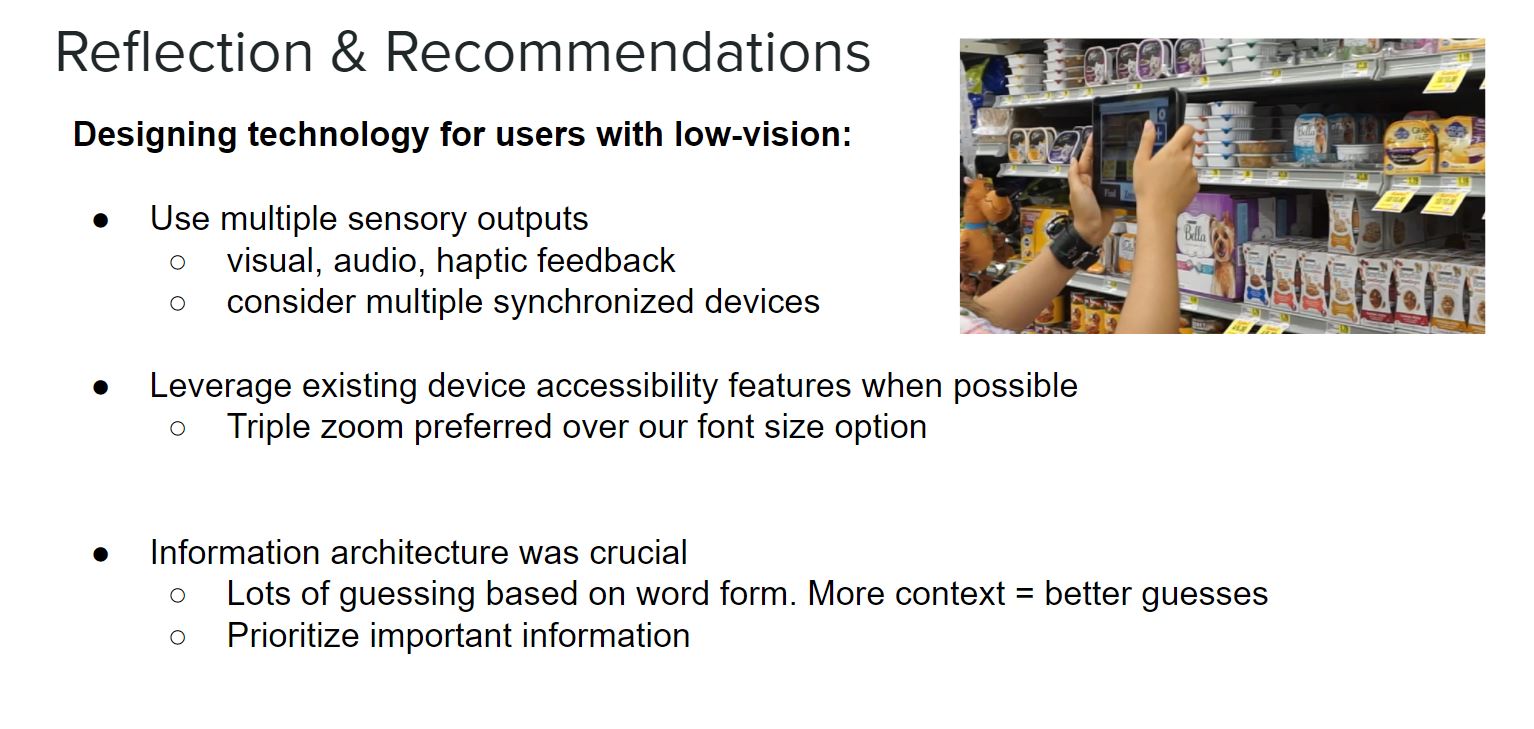
The interface designs are simple, use high contrast, and rely on more than just color to convey and text to convey information. Predictable information architecture was crucial to success during our usability tests.
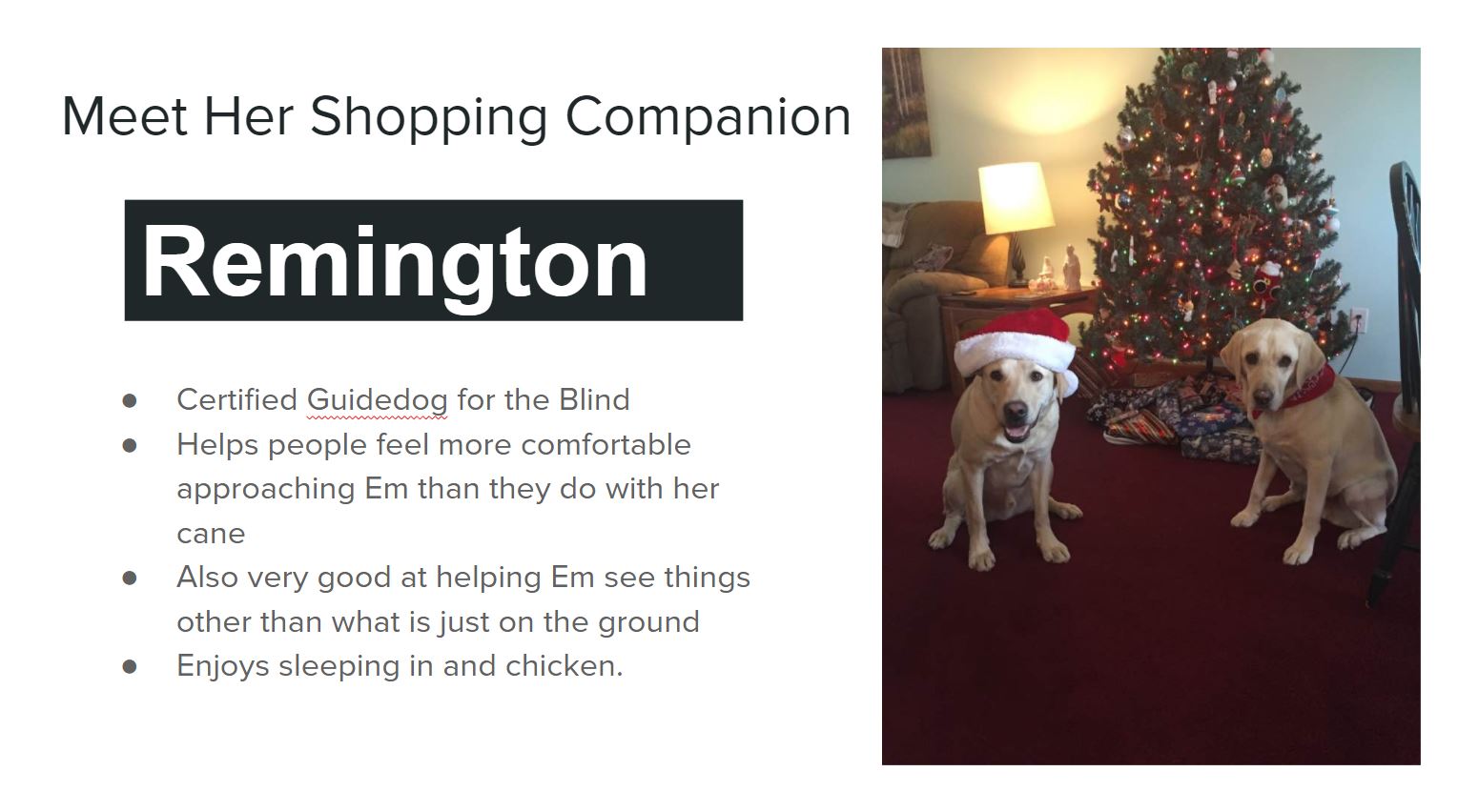
Existing GPS Navigation Systems developed in HCI have not been designed to use in tandem with a guide dog. Only 2% of visually impaired users who used guide dogs surveyed also used a GPS system, compared to the 16% of visually impaired users who didn’t use guide dogs (Hauser, Wakkary & Neustaedter 2014). Additionally during their study, Hauser’s team found that guide dog teams do not like interruptions in their human-dog interaction when in transit, especially involving technology. Several participants did not answer their phone if it rang when navigating, because they found it distracting from the tasks at hand. Our project seeks to provide assistance to the guide dog pair, without distracting the human or dog and detracting from the rich information provided through their interaction.
Tasks
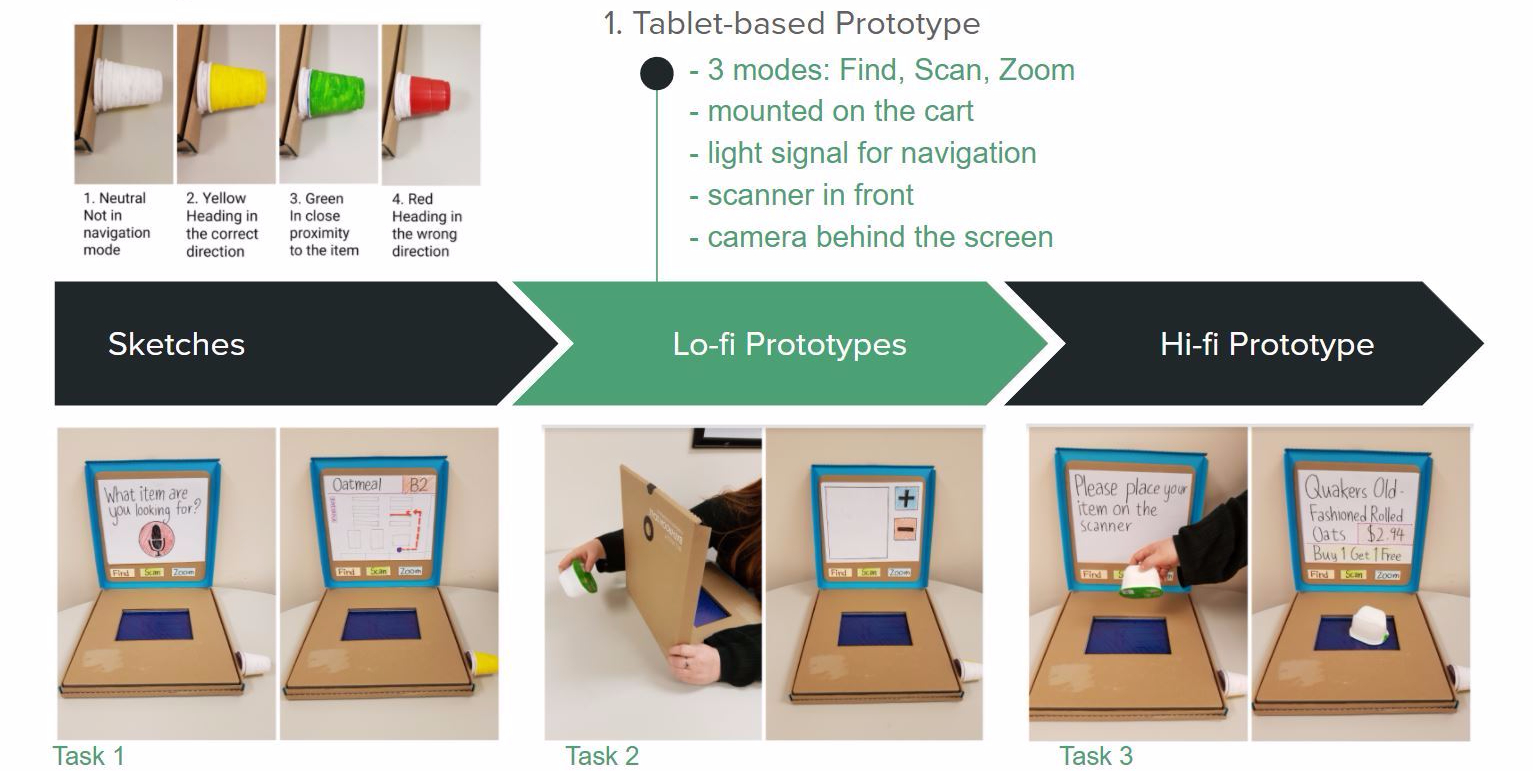
- Finding an item in the store
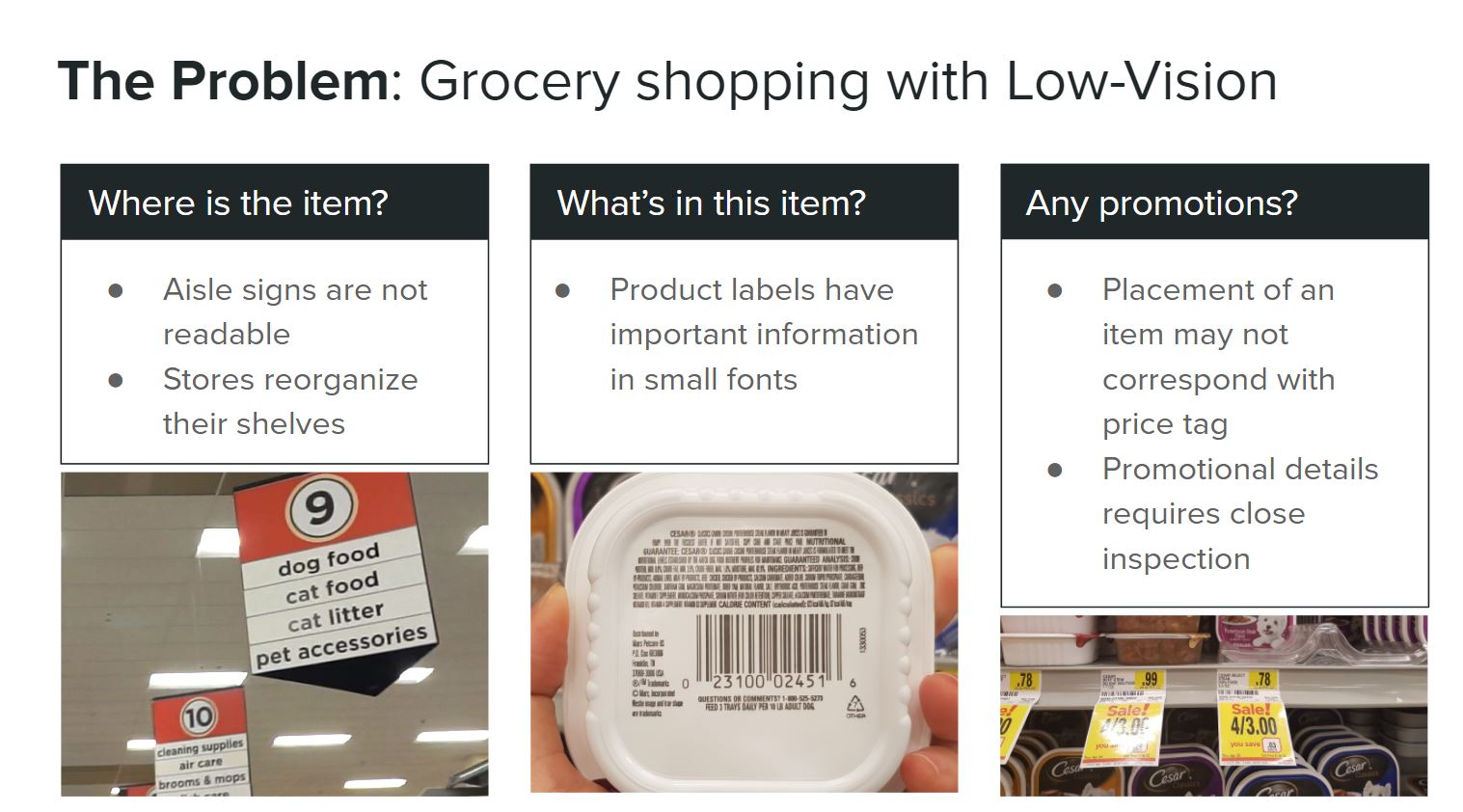
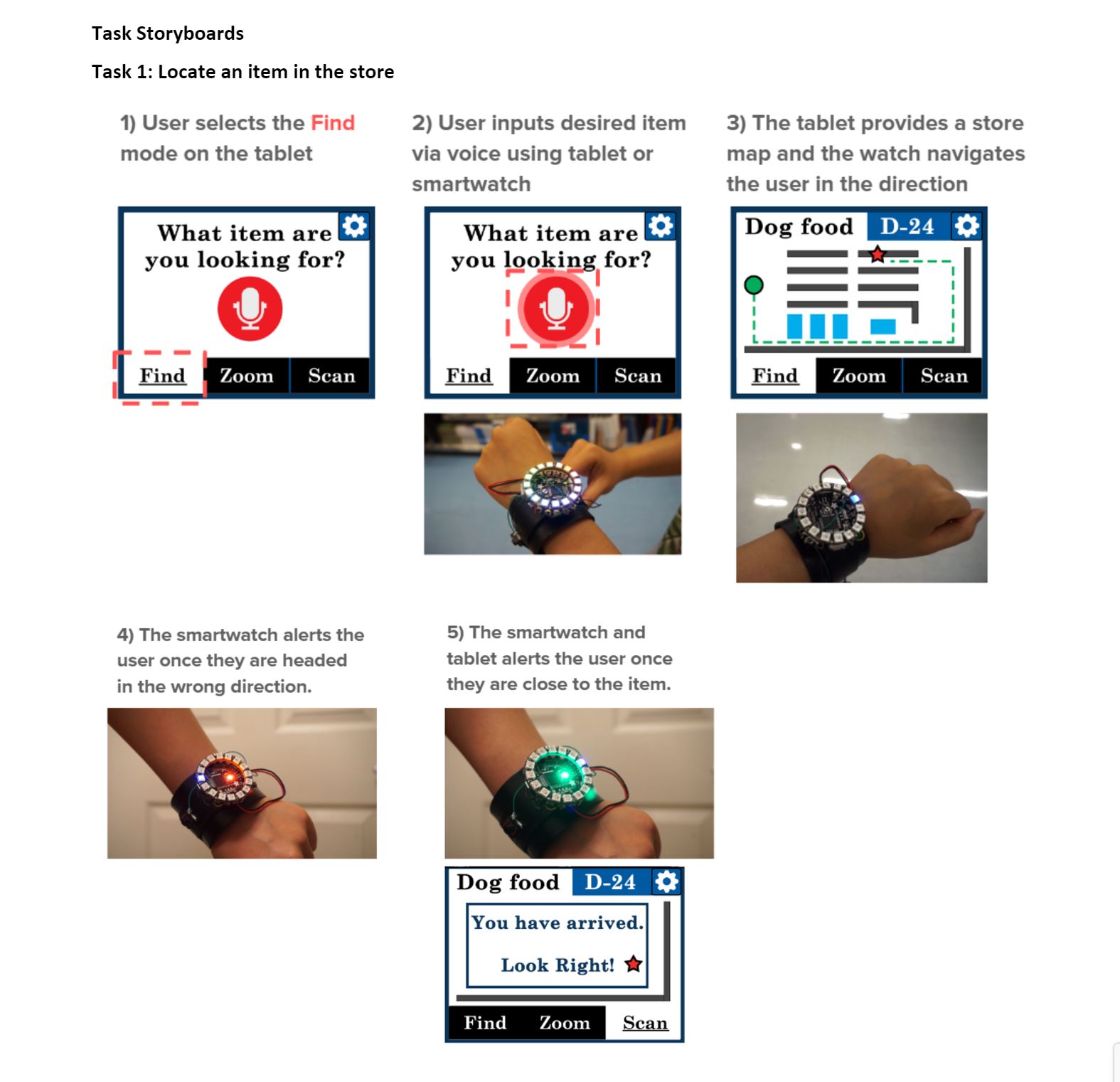
Although many stores provide signs indicating what items are located in each aisle, these signs cannot be read by many people with low vision without assistance from technology. Hence, the ability to find a particular item is completely dependent on memory and often restrained to the one grocery store they are familiar with. Even so, stores may re-organize their shelves from time to time, making it difficult to locate items in their regular store. Our solution should allow users to input the item they are looking for, and help navigate them to the location of the item. It is important to note that knowing the aisle or shelf number is not enough because Em is unable to read the aisle signs.
- Magnifying the item for closer inspection
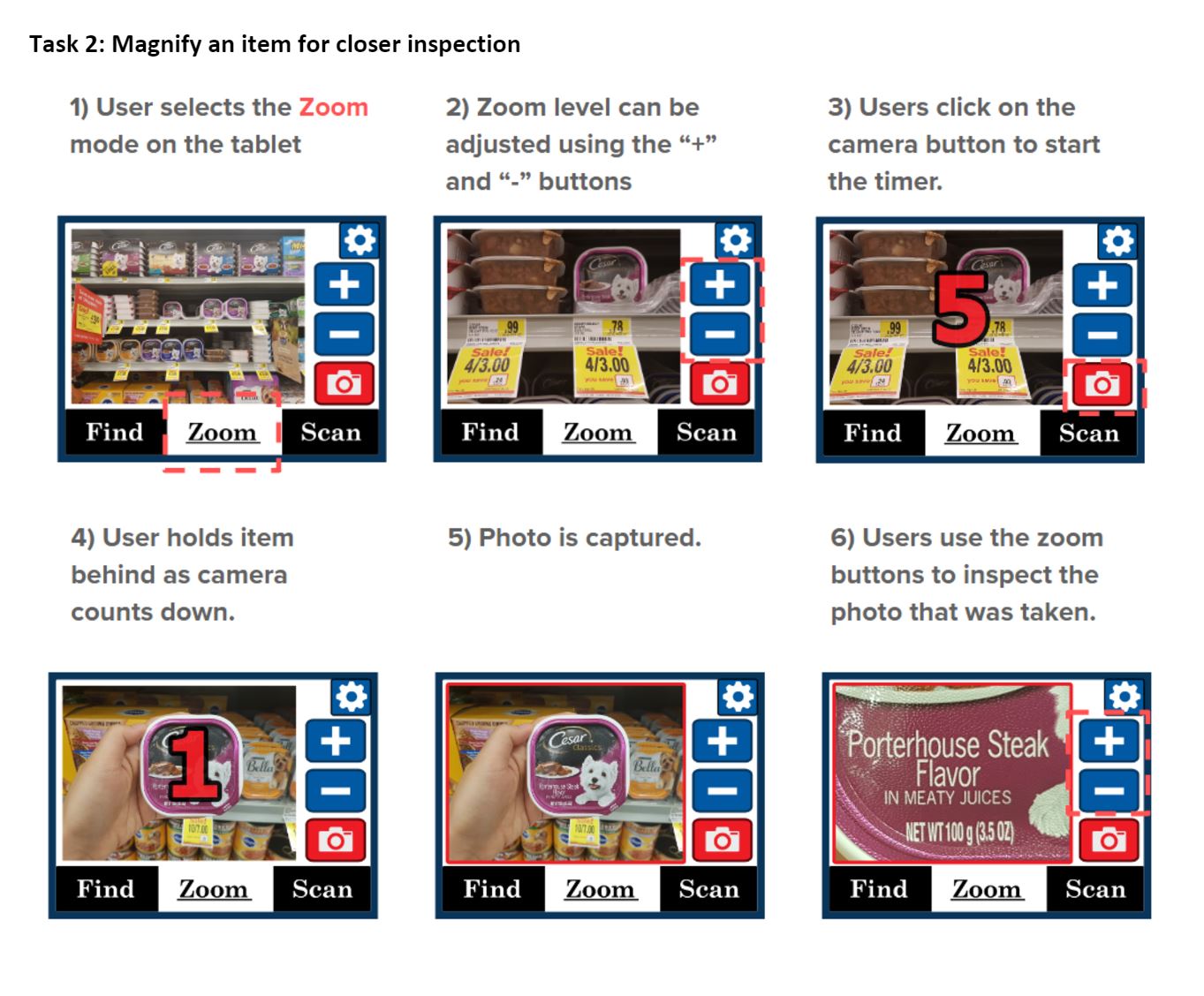
Due to the limited surface area on the product, many of the information on product labels are printed in small fonts. This makes it difficult for people with low vision to read the flavors, expiration date, nutrition information, ingredients, and allergens of an item. Our solution should support the magnification of these labels for readability. We chose this to be separate from barcode scanning, so that there is more assurance of it’s accuracy, and more flexibility in use.
- Scanning the barcode for details
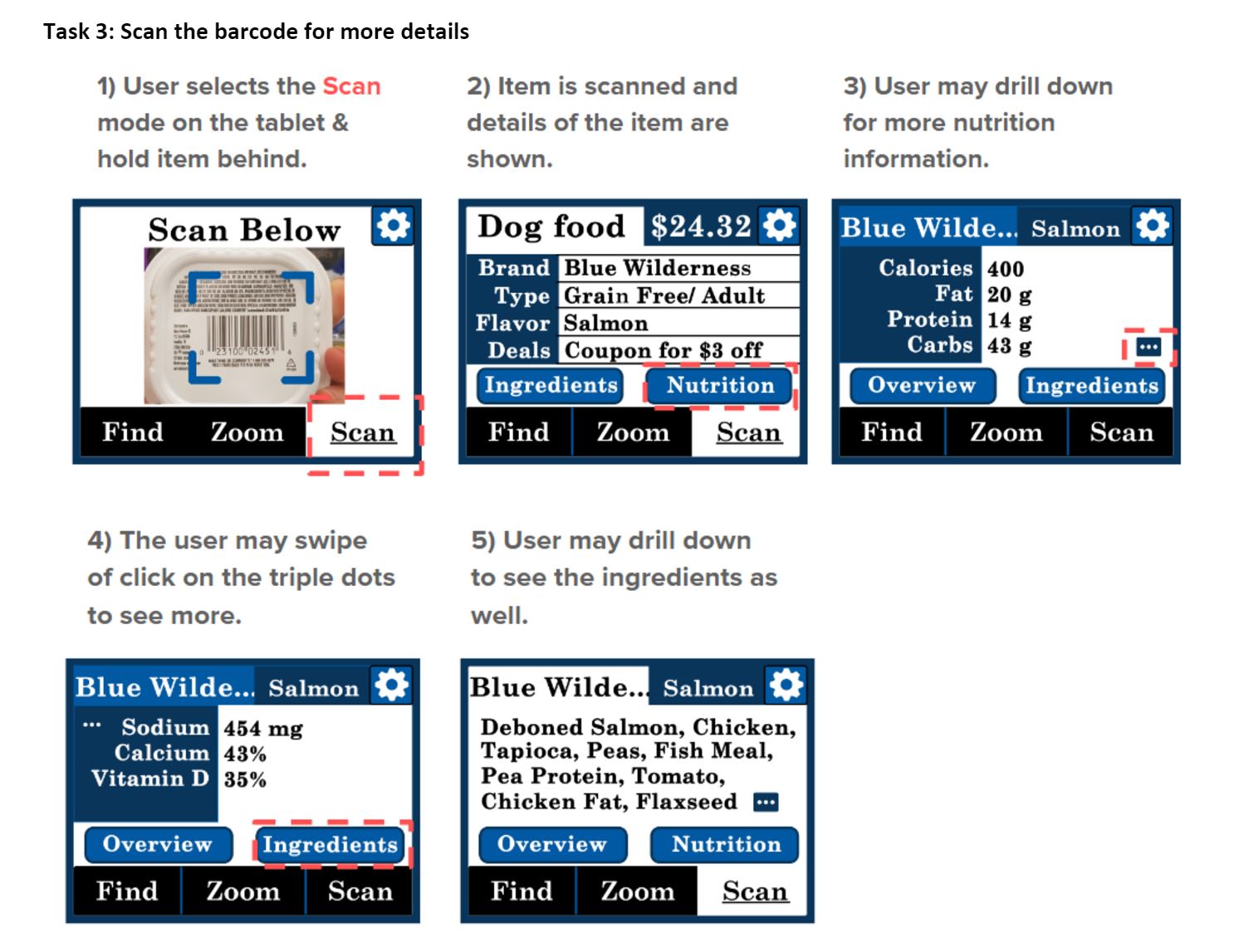
Because price tags are printed in small fonts, it is often difficult for people with low-vision to read the tags. Often times, the placement of an item may not correspond directly with the placement of the tags, hence the users are required to closely read the name of the item on the tag. Also, promotional details requires close inspection to see exactly what the conditions are. Our solution should provide these information in a readable format.
Prototype Overview
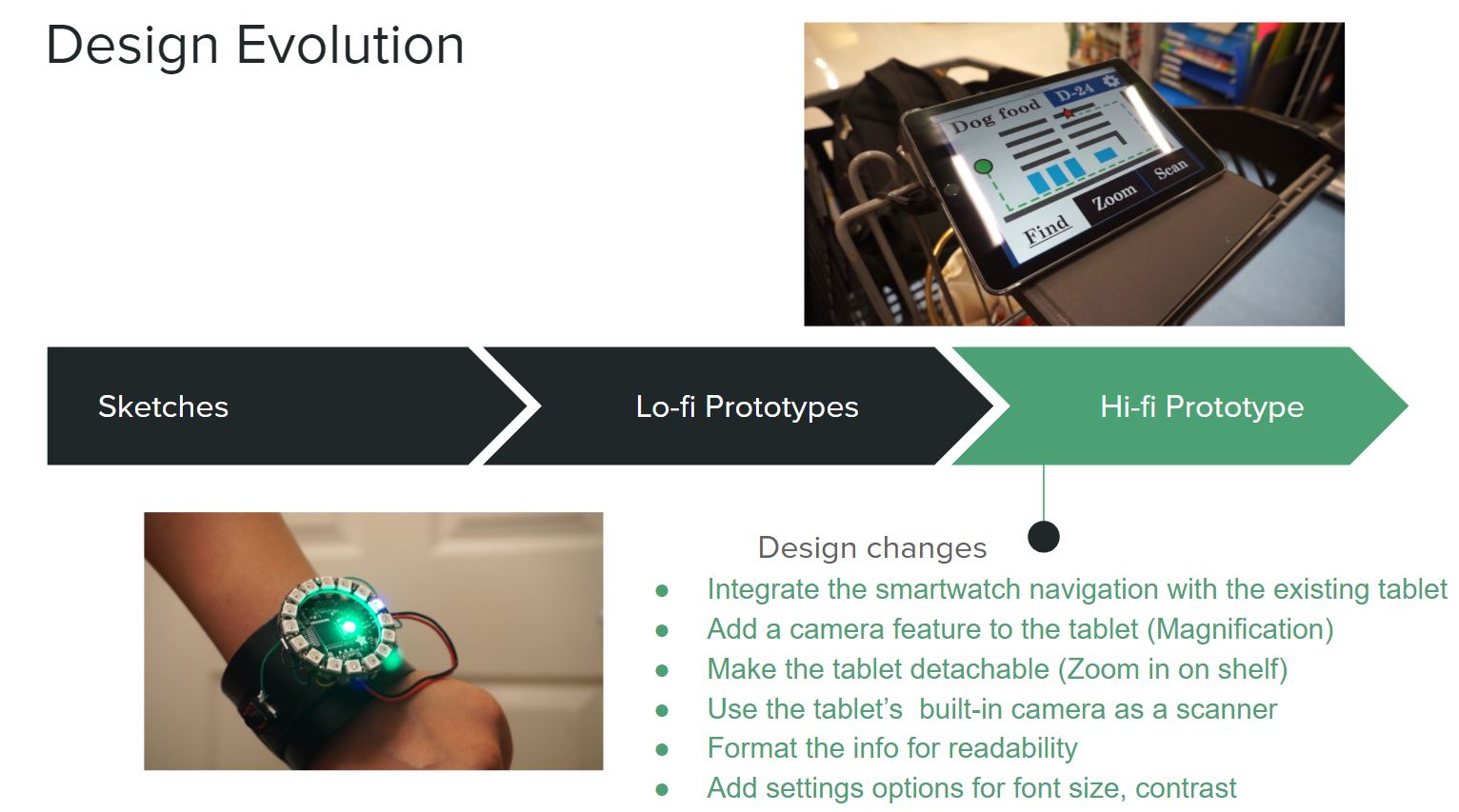
There are two main components to our high fidelity prototype — the tablet and the smart watch.
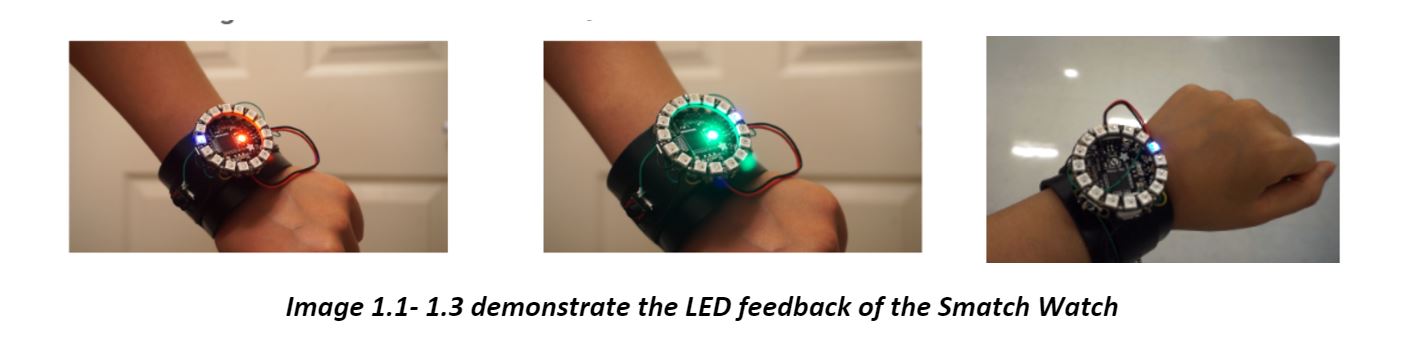
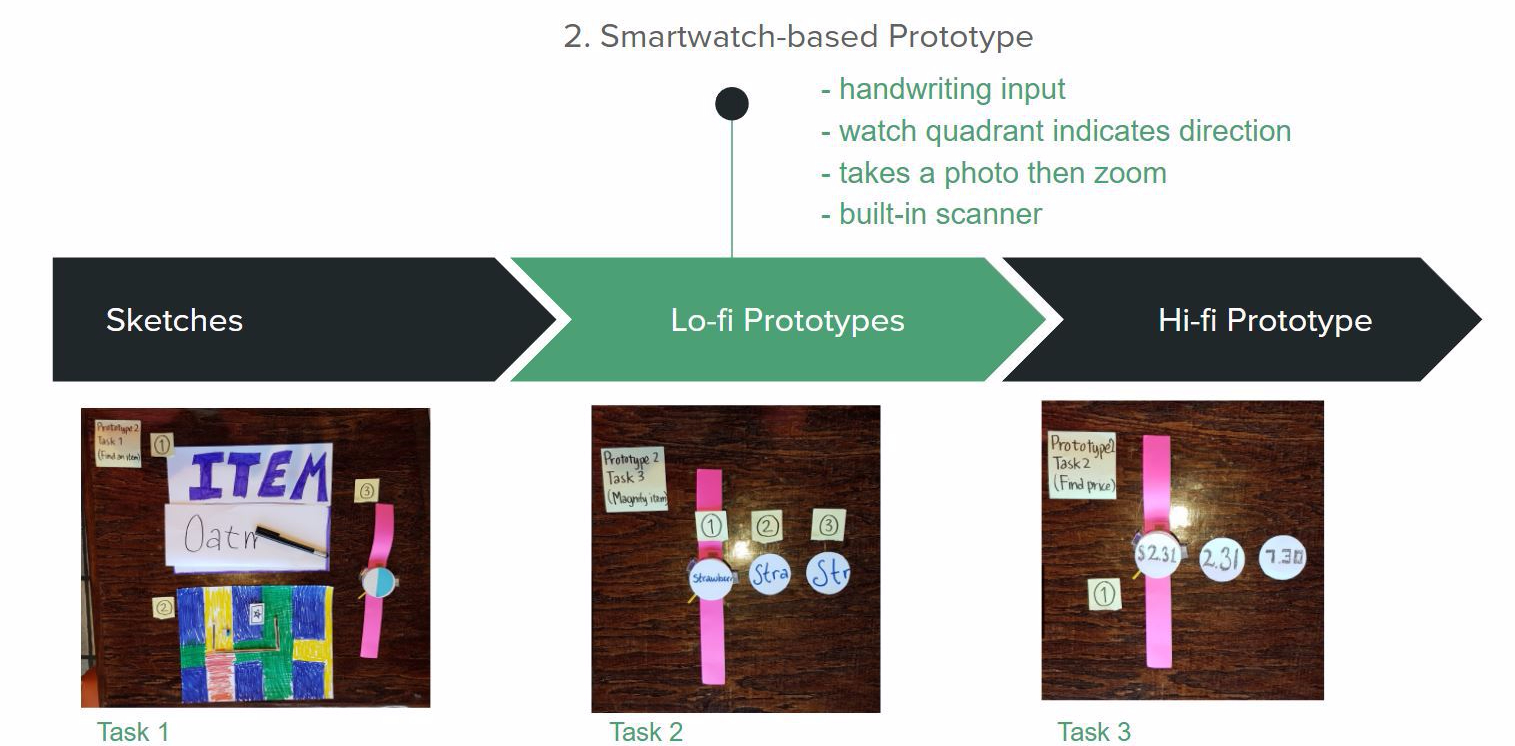
There are 3 tabs on the tablet to switch between modes. To find an item, the user presses the “Find” button and is prompted to say the item. The user can also press a button on her smartwatch for the same function and the watch lights up in rainbow colors to prompt for user feedback. The tablet shows a store map with a path to the item, along with its name and shelf number. The smartwatch provides sound and LED feedback which alerts when the user heads in the wrong direction (red) or is in close proximity to the item (green). It also lights up in the direction the user should head towards to reach their requested aisle, with audio feedback to indicate when to turn.
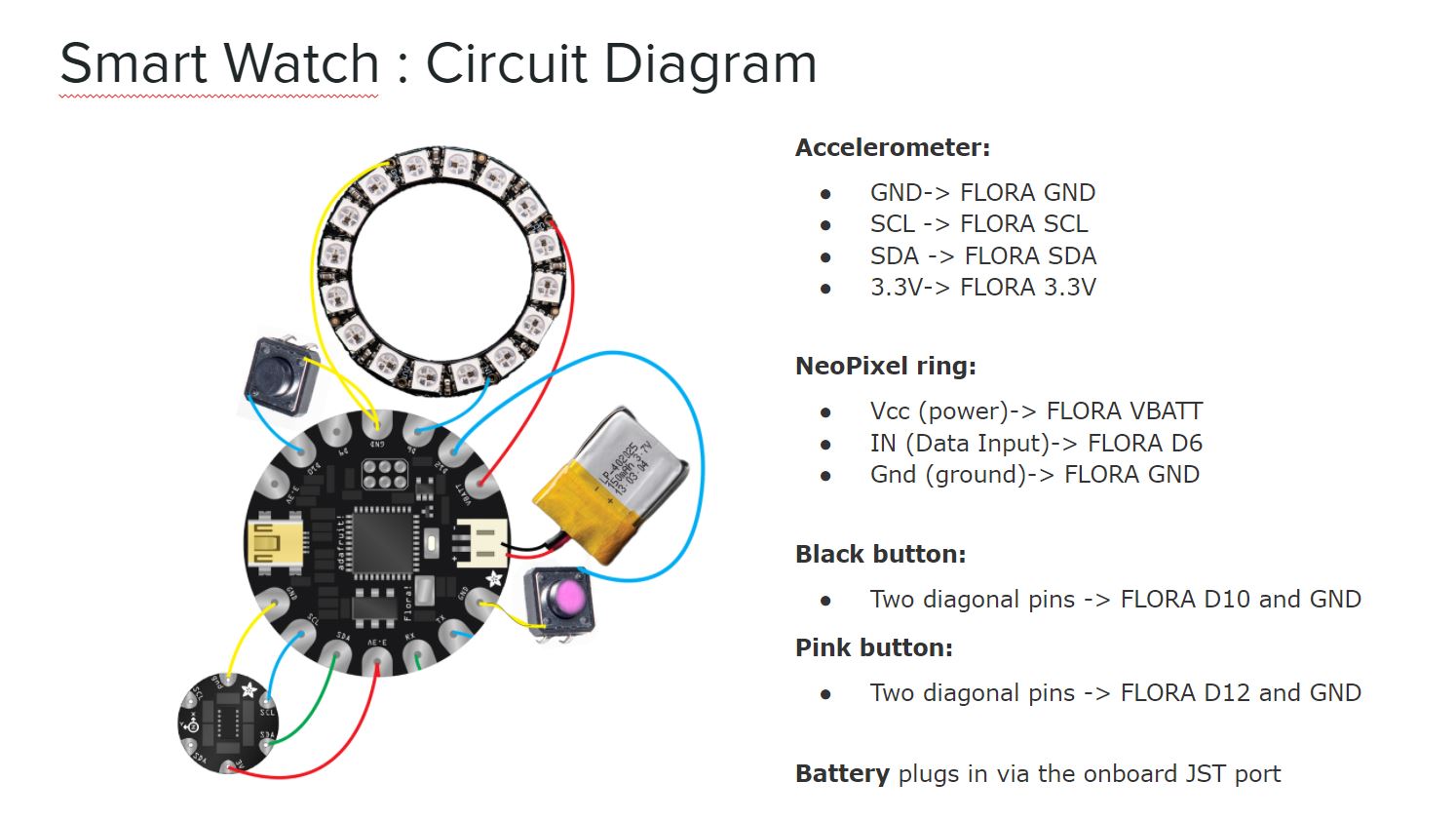
To magnify an item, the user presses on the “Zoom” button and holds the item behind the tablet, where a camera provides a magnified view of the item. Alternatively, the user may choose to detach the tablet and carry it to zoom in on items on the shelf. The user can adjust the zoom level using the (+) and (-) button. A camera timer feature was included so that the user would not require two hands to operate the tablet. Once the picture is taken, the user can then zoom in on the photo.
To find the scan the barcode of an item, the user presses the “Scan” button and holds the item up behind the camera. After an item is scanned, the tablet beeps and provides information on the item. The user may view the nutrition facts and ingredients by clicking on the corresponding buttons.
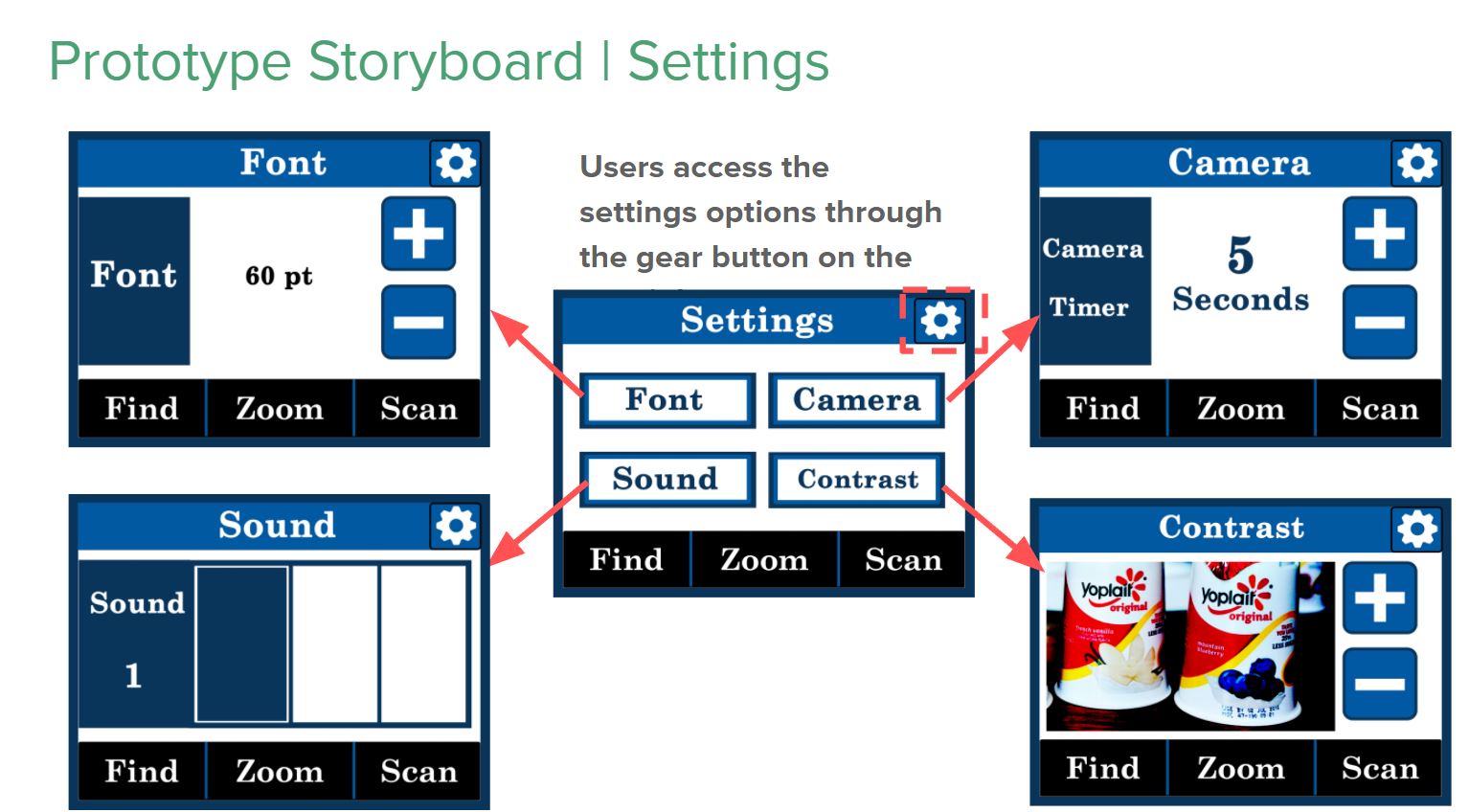
Lastly, we have added the settings option for our prototype to accommodate different levels of vision and the occasionally loud environment of grocery stores.
____
If you would like more information, my partner has posted an article on our project at UX Planet.
 Lisa Marie Rogers
Leave a comment