Duration: 4 months
Team Size: 4
HCI Methods Employed
Low Fidelity User Testing, High Fidelity User Testing, Cognitive Walk Through, Participatory Design, Story Boarding
Lessons Learned
Remain flexible on what you are creating to ensure it meets users needs, even if it varies quite a bit from initial ideation. Our original problem to solve (brought to us by a team member’s experience with camping) was to help users access potable water. During the study we found that users didn’t have a problem with that, but they did want an application to plan their camping trip from one application. Since they relied on many websites/ sources of information when planning their camping trip.
Challenges Faced
Getting team buy in to the new ideas that meet the user’s needs.
For our HCI Design methods course, we formed a team and completed a project through its complete lifecycle. I contributed to the project by conducting user interviews and testing. I also helped to lead design exercises for our group as well as with our users. I worked with Emma Shia, Alicia Geller, and Gowtham Ashok for this project.
Our initial goal, after an intense brainstorming session, was to provide a way for campers to obtain fresh drinking water in the wild. However, comprehensive user studies showed us that it wasn’t as widespread an issue as we had anticipated. Most users surveyed had never experienced difficulties with water while camping, and the two who did had suffered from dehydration because they didn’t remember to drink rather than not being able to find it.
Our project went through many incarnations, and we finally decided to create a system that would help users plan a successful hiking/planning trip. So, for the LoFi prototype, we proposed to create two systems: a kiosk, and an app. The concept of a kiosk was that it would be stationed at the national parks, and allow a user to link his/her app account to it as well as check in so the park service rangers knew a general idea of how many were in the park. However, we realized kiosk would not be an efficient system since a kiosk would not help users with planning, since users would like to plan a trip ahead of time instead of planning a trip on site. While we did not incorporate the kiosk into our final design, it did inspire us to add additional functionality to the app.
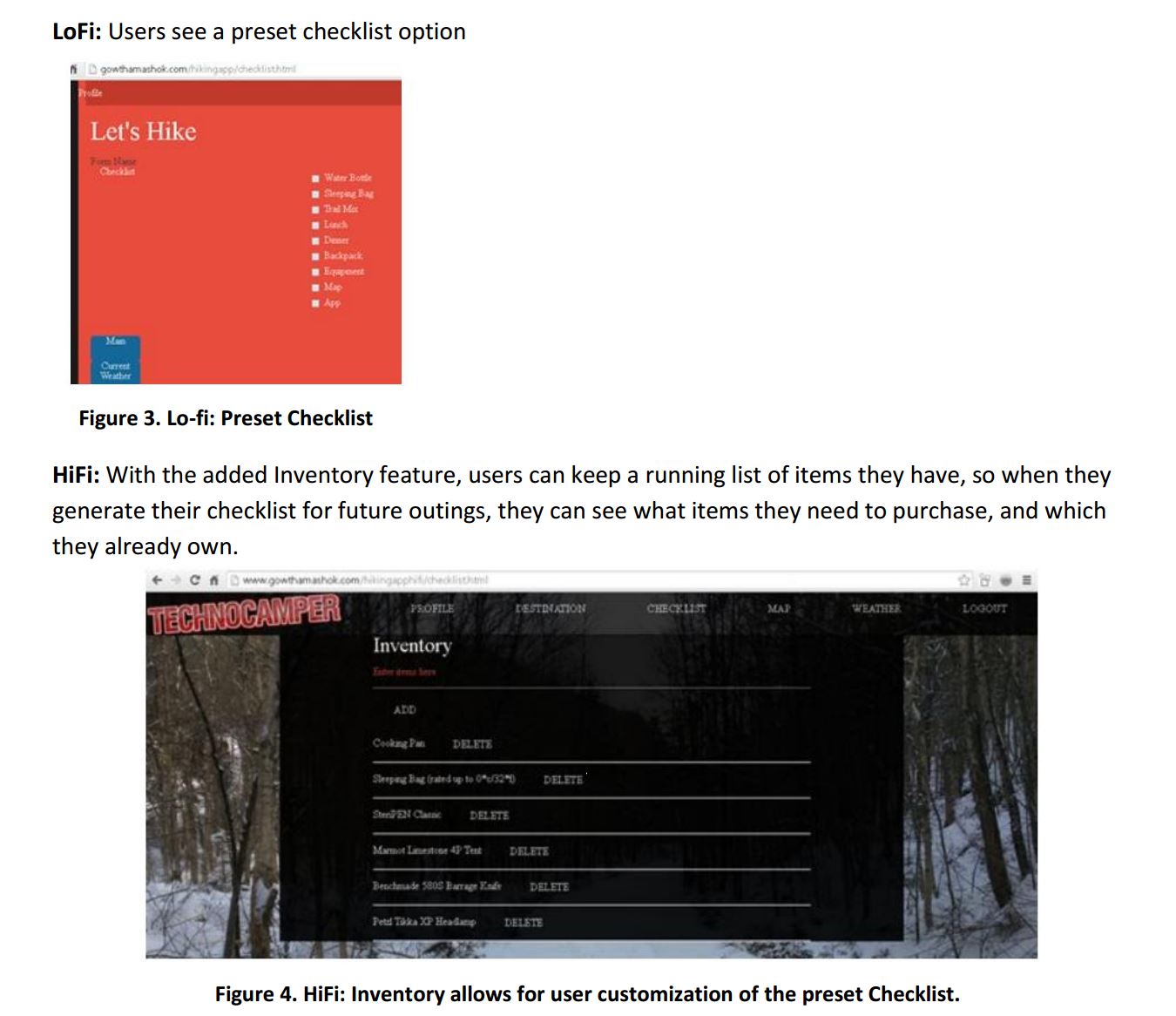
When we were testing our Low Fidelity prototype, we discovered that one of the features users most desired was the ability to work with preset data from their profile to help them know what they needed to buy before a camping trip.
We combined input of a weather site for the days the user would be at the location, with a list of their inventory, to generate a checklist of what they needed to pack and what they needed to buy.
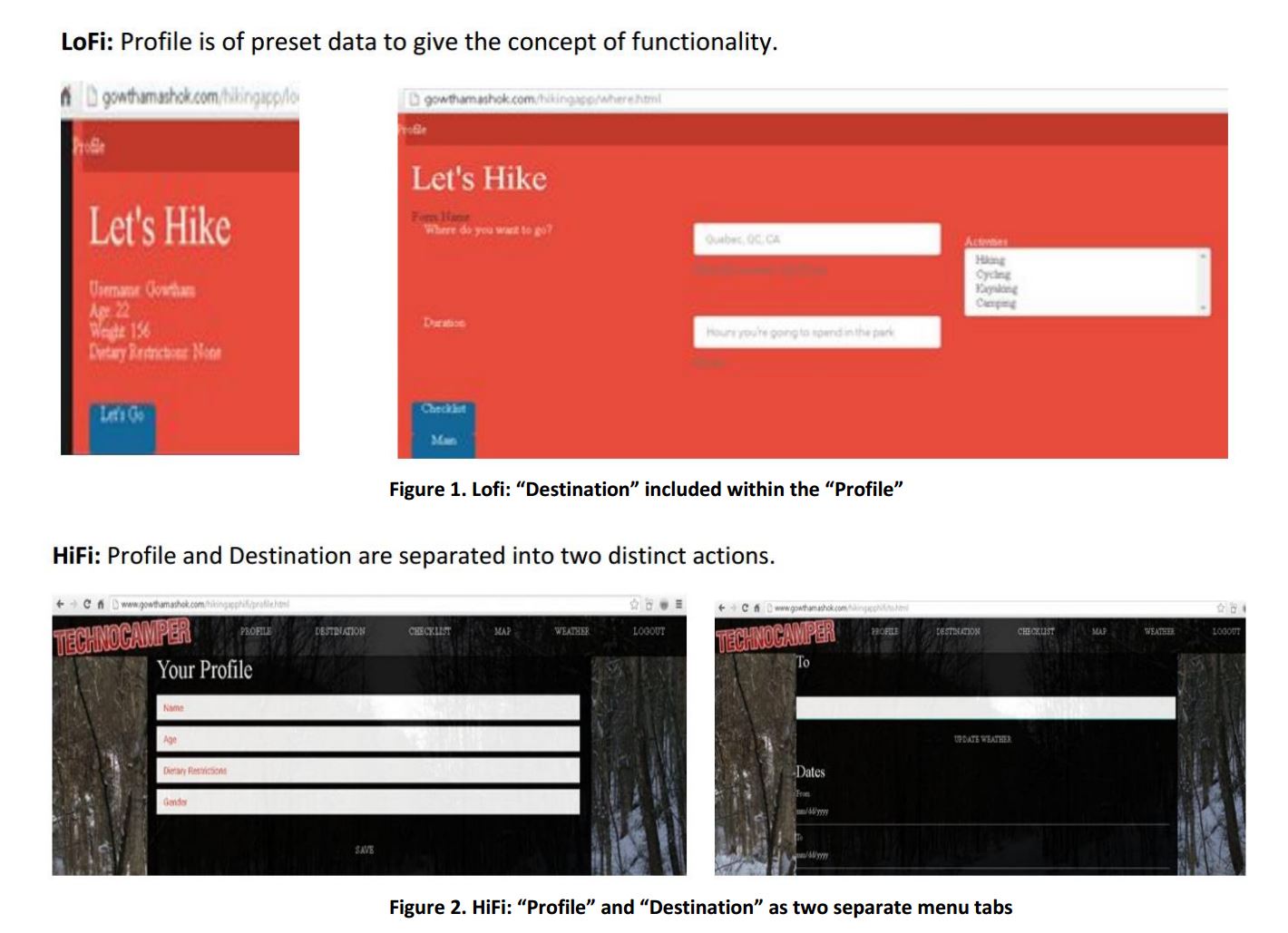
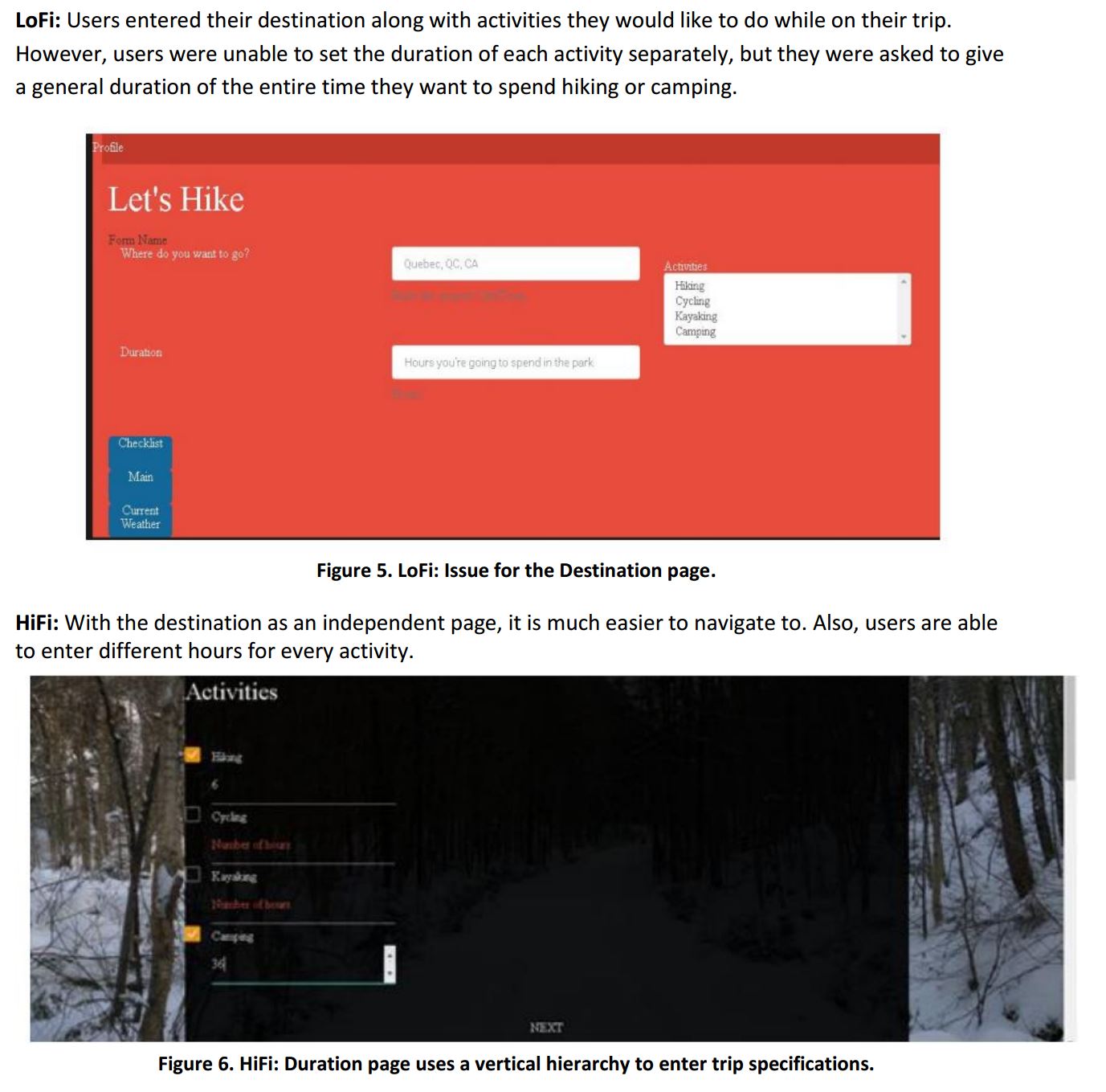
For the LoFi design, users understood why we included a preset option for the ‘Profile’. As it was a LoFi, we wanted to give the idea of what the functionality would look like. Yet, they asked that for the HiFi it would be fixed for users to input their own information. For the HiFi, this was fixed, by having four separate fields to enter data. The LoFi design had the ‘Profile’ on two screens. Users expressed confusion on this as well. The second screen was more suited to the destination and that is where that data is entered in the Hifi, the newly created ‘Destination’ page.
These are some changes we made between the low fidelity and final high fidelity prototype:
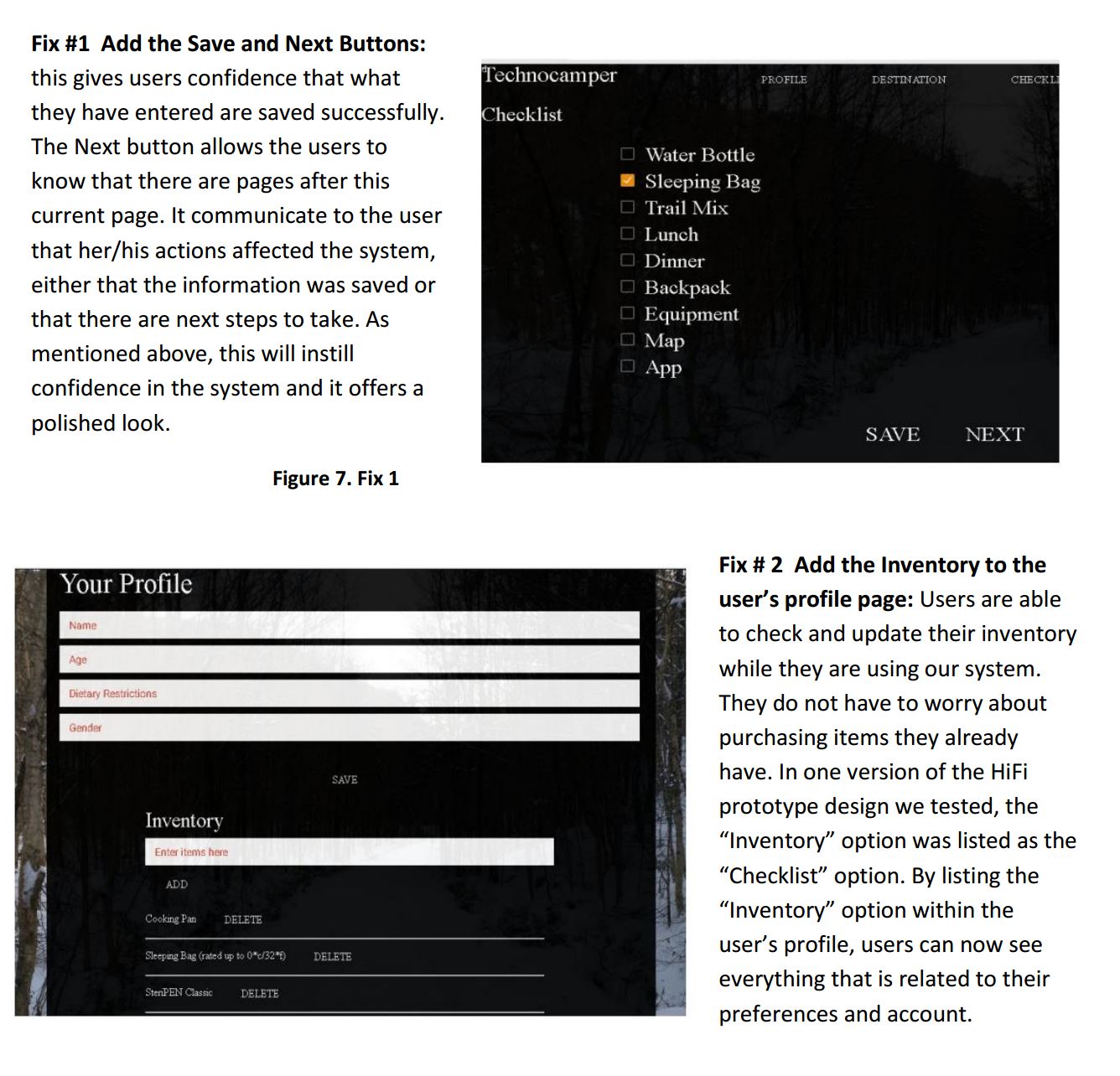
Evaluation Techniques: Similar to the evaluation techniques we proposed to conduct when we emerged from low fidelity to high fidelity prototype, we believed that prioritizing usability problems, using think aloud, and cognitive walkthrough methods are considered the best. Therefore, for the future evaluation techniques, it would be the best for us to prioritize those usability problems that we encountered from the testing session. In this way, we could work on the parts that are more problematic first to improve our design. Once we are confident that our high fidelity prototype ready, our group members could conduct cognitive walkthroughs several times each phase as we work towards improving the prototype. Applying the cognitive walkthrough method allows us to perform tasks based on a user’s perspective, so we might be able to find possible flaws to improve in our design before we ask actual test participants to test the prototype for us. Also, using the think aloud method allowed us to understand what was going on inside a test participant’s mind. We believe that using this method for future tests will enable us to observe and understand why users have trouble interacting with the prototype. We found that this method helped users to feel comfortable showing reactions and commenting on the design. It enabled the team to turn the feedback into actionable design recommendations. However, we will not ask the same test participants to conduct usability tests for us again as they are familiar with the system. Lastly, the goal with the future renditions of TechnoCamper is to be efficient with user input. The user should be able to store information to help them plan future camping trips without having to redo the same thing. In future renditions, the inventory would also help with coordinating group camping trips, though each item would likely need the option of being ‘public’ or ‘private’ in consideration of our users.
 Lisa Marie Rogers
Leave a comment